


“Did someone give the medication?”
Hay top-ups, fresh food and medication each have their own routine. A shared schedule helps you see what your guinea pig still needs.
Keep your guinea pigs’ health and daily care organised, from hay and fresh greens to medication and nail trims. Track weight, vet appointments, treatments, grooming and baths when needed, with one shared schedule.
More happy wheeks. Less to remember.
Sound familiar?
Feeding routines, coat care and vet records add up, especially when you look after more than one guinea pig.
Hay top-ups, fresh food and medication each have their own routine. A shared schedule helps you see what your guinea pig still needs.
Keep your guinea pig’s weigh-ins together, so you can see changes over time and bring a clear history to the vet.
Nail trims, grooming, treatments and vet visits are easier to follow when each guinea pig has their own care history.
When family or a sitter helps, everyone needs the same picture of feeding, medication and completed care for each guinea pig.
Bring your guinea pigs’ health records and care routines together. Organise feeding, medication, vet appointments, nail trims, treatments, grooming and baths when needed, alongside weight records and favourite photos.
Guinea pig weight tracking
Log each guinea pig’s weigh-ins, see their weight history in one chart and share the records with your vet.
Guinea pig care reminders
Set reminders for feeding, medication, appointments, nail trims, treatments and grooming. Record baths when needed and see which tasks are done.
Guinea pig health records
Keep vet notes, medication details, treatment records, nail trims, grooming and bath notes together in each guinea pig’s profile.
Shared guinea pig care
Share your guinea pigs’ schedules with family or a sitter. See who has been fed and which care tasks are complete, all in one place.
Guinea pig photo memories
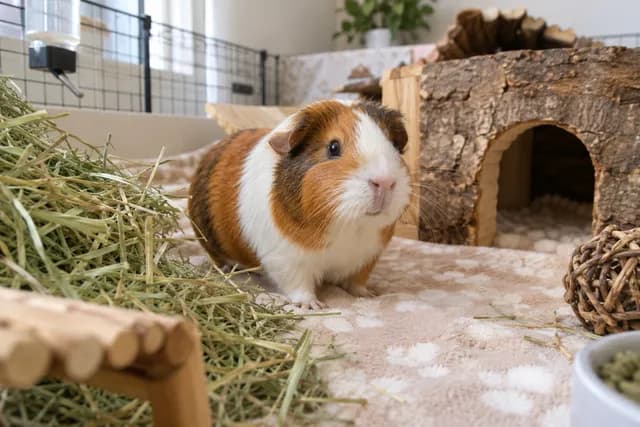
Collect your guinea pigs’ favourite photos alongside their care records, from exploring their home to quiet moments together.
Real reviews from pet owners using DogCat to organise health records, reminders and everyday care.
“…incredibly helpful for tracking weight, medications and reminders…”
 MungoGoogle Play · Jun 24, 2024
“One of my favourite features is the ability to upload documents!”
 AutumnApp Store · Sep 22, 2023
“Very cute, functional, and easy to use.”
 shannonApp Store · Aug 28, 2024
FAQ
Quick answers to common questions. Still need help? Contact our support team. renato@dogcat.app
DogCat is a pet health tracker that keeps your pet’s care, records, and reminders in one place, giving you peace of mind and more time to enjoy life together.
Yes! Most of DogCat’s pet care features are free, so you can manage everyday care for unlimited pets without a subscription. The free version includes a few unobtrusive ads. DogCat Plus offers optional extras. You can explore the available options in the app.
Yes! DogCat supports a wide range of pets and animals. Create a profile for each one to keep their care routines and health records together. If their type isn’t listed, you can create your own custom pet type.
Available types: Dog, Cat, Fish, Bird, Rabbit, Hamster, Guinea pig, Turtle, Lizard, Snake, Horse, Chicken, Mouse, Rat, Gerbil, Ferret, Chinchilla, Duck, Frog, Axolotl, Hedgehog, Goat, Sheep, Pig, Cattle, Donkey, Snail, Crab, Spider, Degus, Sugar glider, Alpaca, Llama, Bee colony, Ant colony, Scorpion, and Skunk.
Yes! You can add unlimited pets for free. Each pet has their own profile for health records and care. A global schedule brings all your pets’ care together in one view, so you can easily see what’s due for everyone.
Yes, DogCat requires an internet connection. Your pet’s records are securely stored and synced with our servers, so you and the people you share care with can access the same up-to-date information across devices.
Running DogCat’s servers has ongoing costs. Plus subscriptions help cover those costs and support improvements to the app. All revenue is reinvested into running and improving DogCat. We’ve never taken any profit out of the app.
You can see available plans and prices in the app before you subscribe. Pricing is shown in your local currency and may vary by country and app store.
No. DogCat has ongoing server and storage costs, so a one-time payment wouldn’t support the app long term. Subscriptions help us keep improving DogCat and give us a reason to earn your support continually. They also keep things fair: if you’re unhappy with the app, you can cancel rather than being tied to a lifetime purchase.
Your Plus access continues until the end of your current paid period. After that, your account returns to the free plan and Plus features are no longer available.
Yes! You can share pet care with unlimited users for free. Everyone can keep track of the same pet’s routines, reminders, and records. Use the sharing options in your pet’s profile to invite family, friends, or caregivers.
Yes! You can share care with friends, pet sitters, foster care teams, or colleagues who help look after your pets. Keeping routines, records, and updates in one place makes handovers easier and helps everyone stay informed.
Mark a scheduled task as complete after you’ve done it. Shared schedules show everyone what’s been taken care of and what still needs attention. With DogCat Plus, you can also get notified when another user completes a task.
You can remove someone’s access at any time in your pet’s sharing settings. This keeps your pet’s records shared only with the people currently involved in their care.
You can keep your pet’s weight history, vaccinations, medication, vet notes, licences, microchip details, insurance, and supporting documents in one place. You can also create custom fields for any extra details you want to track.
You choose who you share your pet’s records with. In the sharing settings, you can give each person permission to edit the records or view them without making changes.
Your data is securely stored and backed up on Amazon Web Services (AWS) servers in Ireland. Passwords are encrypted and cannot be read, even by the DogCat team.
Check the account settings in the app for available options, or contact support for help with a data or account deletion request. If you have a subscription, manage its cancellation through your app store as well.
Yes. You can download DogCat from the App Store for iPhone or Google Play for Android. Check the store listing for the latest device and operating system requirements.
Yes! Sign in with the same account to access your pets on multiple devices. You can also invite others to share care using their own accounts. An internet connection keeps everyone’s updates in sync.
Check your internet connection and make sure you’re signed in to the correct account. Reopen the app and check for updates in your app store. If something still looks wrong, contact support with the details.
Check that notifications are enabled for DogCat in your phone’s settings and that the reminder is scheduled correctly. Focus modes and battery-saving settings can also affect when notifications appear.
Your subscription is managed by Apple or Google, depending on where you bought it. They handle billing and renewals, and DogCat cannot change your store account or payment details. On iPhone, open Settings, tap your name, then Subscriptions. On Android, open Google Play, then Payments & subscriptions, then Subscriptions. Use the store account you subscribed with.
Open your subscriptions in the App Store or Google Play, choose DogCat, and follow the cancellation steps. Deleting the app does not cancel a subscription. Your access continues until the end of the paid period.
Check that you’re using the app store account that made the purchase, then look for the restore purchases option in the app. If Plus still doesn’t appear, contact support with your purchase receipt.
For purchases made through the App Store or Google Play, request a refund through that store. Refund eligibility and processing are handled by the store where you made the purchase.
Open DogCat and go to Settings to contact us through live chat. You can also email us at renato@dogcat.app. We’re happy to help.
Describe the issue, what you expected to happen, and the steps we can follow to reproduce it. Please include screenshots or a screen recording so we can see what’s happening.
Yes! We’d love to hear your ideas and how DogCat could work better for you. Get in touch through live chat in the app’s Settings or send us an email (renato@dogcat.app).
Start today
Download DogCat free to track your guinea pigs’ health, weight and everyday care.
 EnglishEnglish
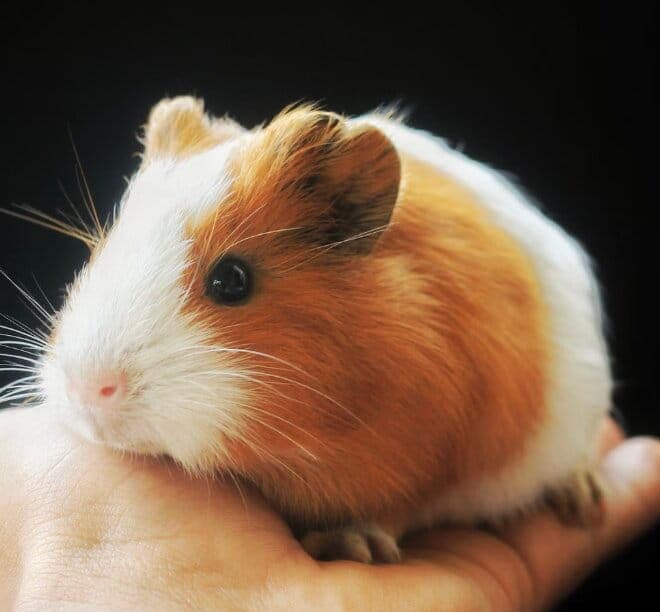 Peanut
 Coco
Coco Morning feeding
Hay, fresh greens and water
 08:00Oct 10, 2026Nail trim
Record the trim and care notes
16:00Oct 09, 2026Check-up and care notes
14:30Oct 10, 2026


 Peanut
 1,050 gOct 10, 2026 · 08:00+1%1,040 gOct 03, 2026 · 08:00+1%1,030 gSep 26, 2026 · 08:00+1%
© 2026 DogCat.app. All rights reserved.